 coderccb
iTerm2
iTerm2 是 Terminal 的替代品,也是 iTerm 的继任者。它适用于装有 macOS 10.14 或更新版本的 Mac。iTerm2 以您从未想过的功能将终端带入现代。
Iterm2 是苹果系统增加的命令行工具,定制化很强使用方便,并且外观也好看。
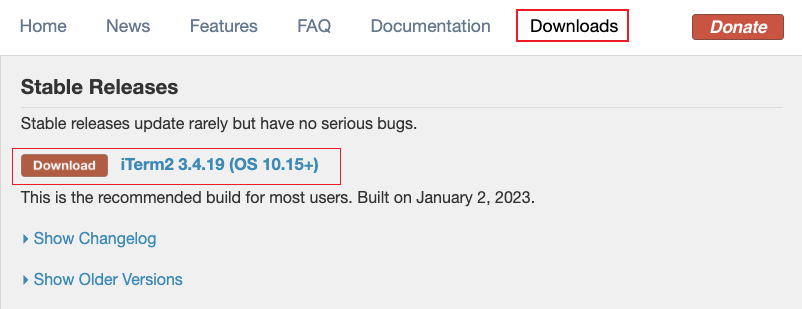
1. 下载
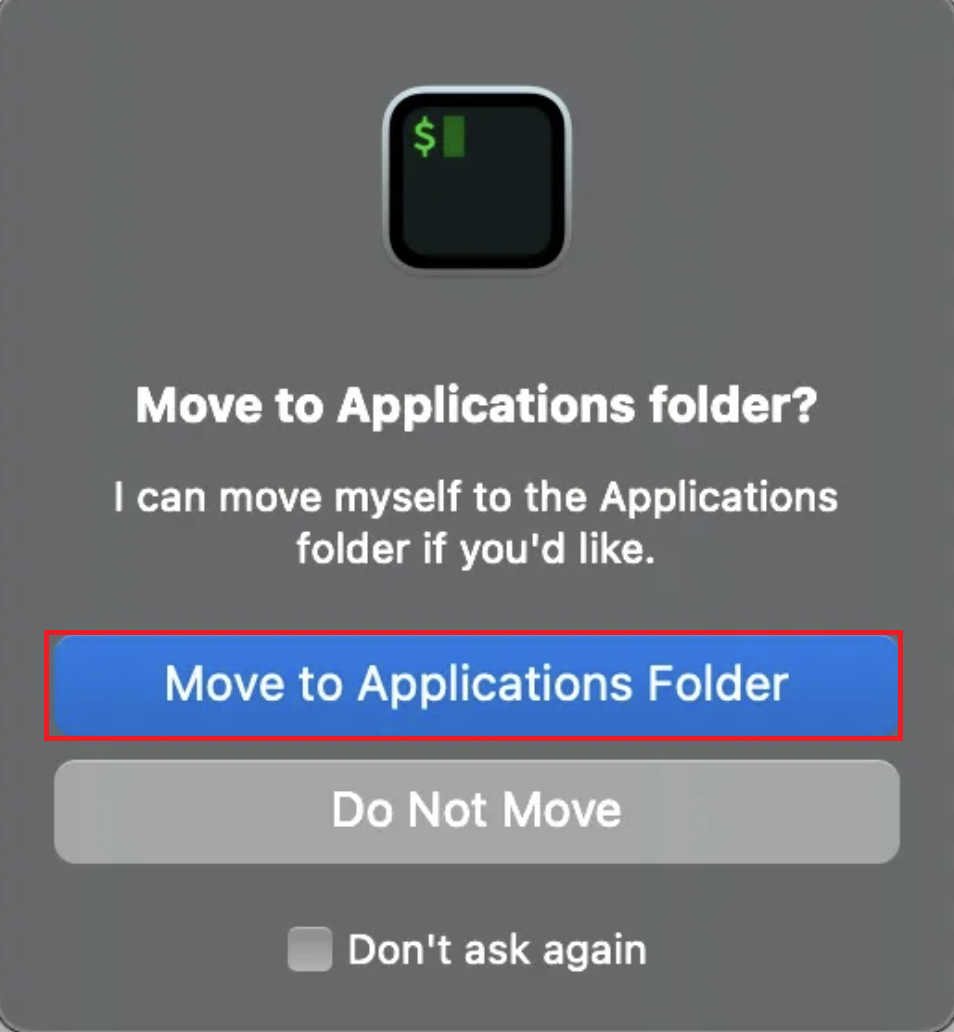
双击打开iTerm,根据弹窗提示点击Move to Applications Folder即可。
2. 颜色主题
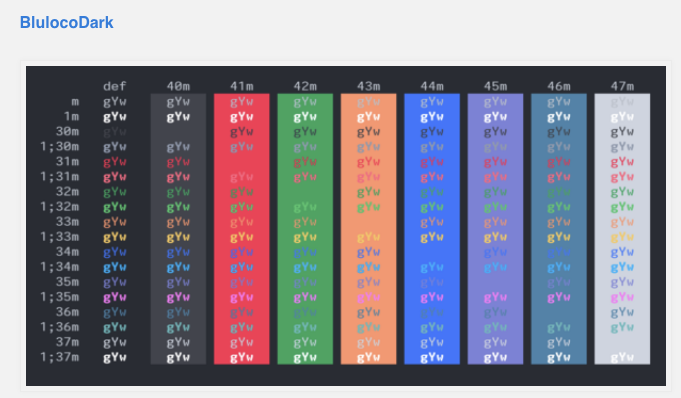
设置想要颜色主题,BlulocoDark
在桌面新建文件,命名:
BlulocoDark.itermcolors把
BlulocoDark的代码 复制到BlulocoDark.itermcolors打开
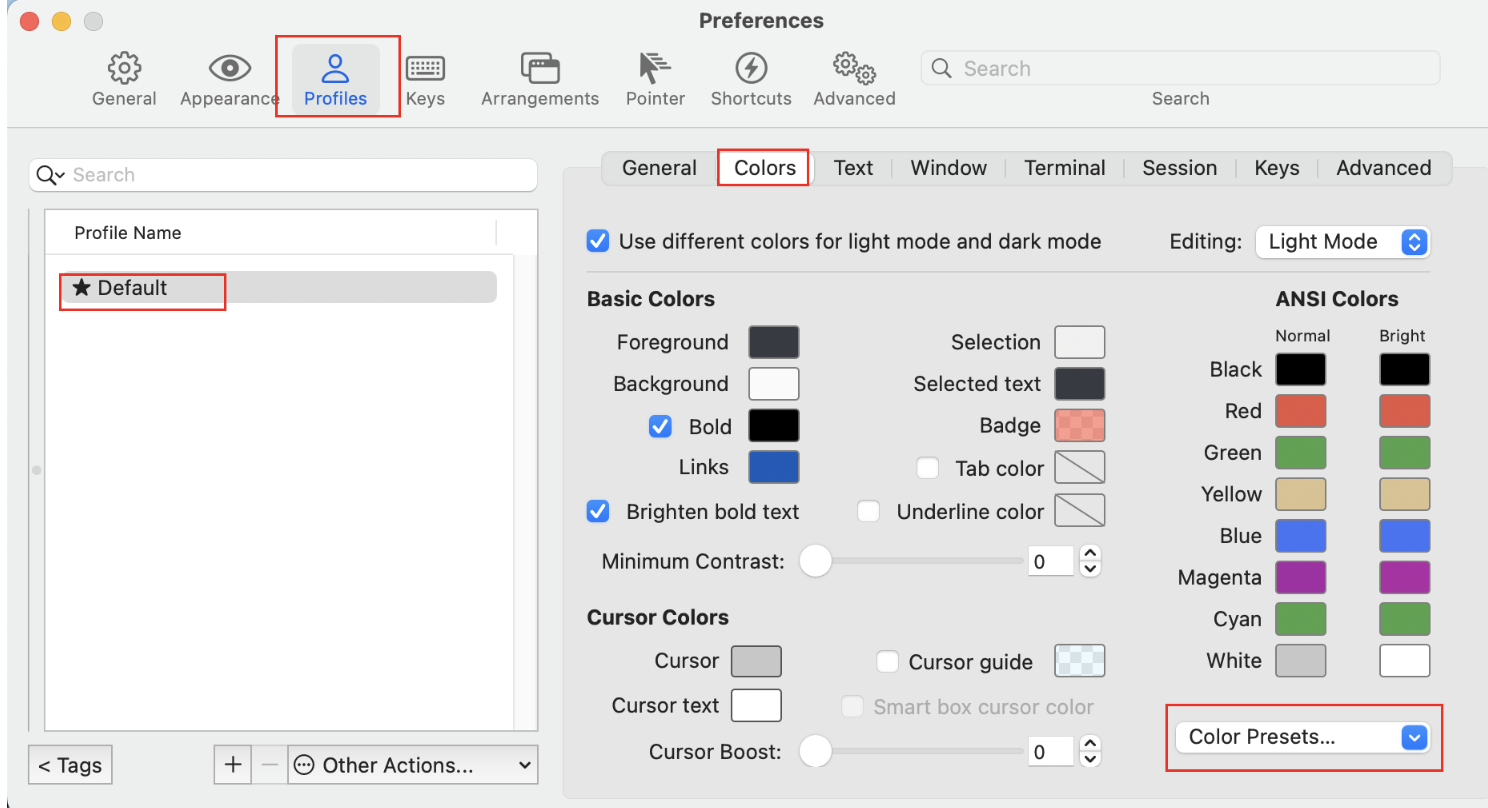
item2设置界面,按照👇🏻操作,import 导入BlulocoDark.itermcolors
3. 快捷键
Click me to view the code
#新建标签:
command + t

# 关闭标签:
command + w

#切换标签:
command + 数字
command + 左右方向键

# 切换全屏:
command + enter

# 查找:
command + f

# 查看历史命令:
command + ;

# 查看剪贴板历史
command + shift + h

# 清除当前行:
control + u

# 到行首:
control + a

#到行尾:
control + e

# 删除光标之前的字符:
control + h

#删除光标之前的单词:
control + w

#清屏1:
command + r

#清屏2:
ctrl + l4. 终端切换语言
# 当前的语言环境设置
locale📢 将以下命令添加到您的.bashrc或.zshrc文件中,以便在每次启动终端时自动设置语言环境
export LANG="zh_CN.UTF-8"
export LC_COLLATE="zh_CN.UTF-8"
export LC_CTYPE="zh_CN.UTF-8"
export LC_MESSAGES="zh_CN.UTF-8"
export LC_MONETARY="zh_CN.UTF-8"
export LC_NUMERIC="zh_CN.UTF-8"
export LC_TIME="zh_CN.UTF-8"
export LC_ALL=export LANG="en_US.UTF-8"
export LC_COLLATE="en_US.UTF-8"
export LC_CTYPE="en_US.UTF-8"
export LC_MESSAGES="en_US.UTF-8"
export LC_MONETARY="en_US.UTF-8"
export LC_NUMERIC="en_US.UTF-8"
export LC_TIME="en_US.UTF-8"
export LC_ALL=5. 关闭每日提示
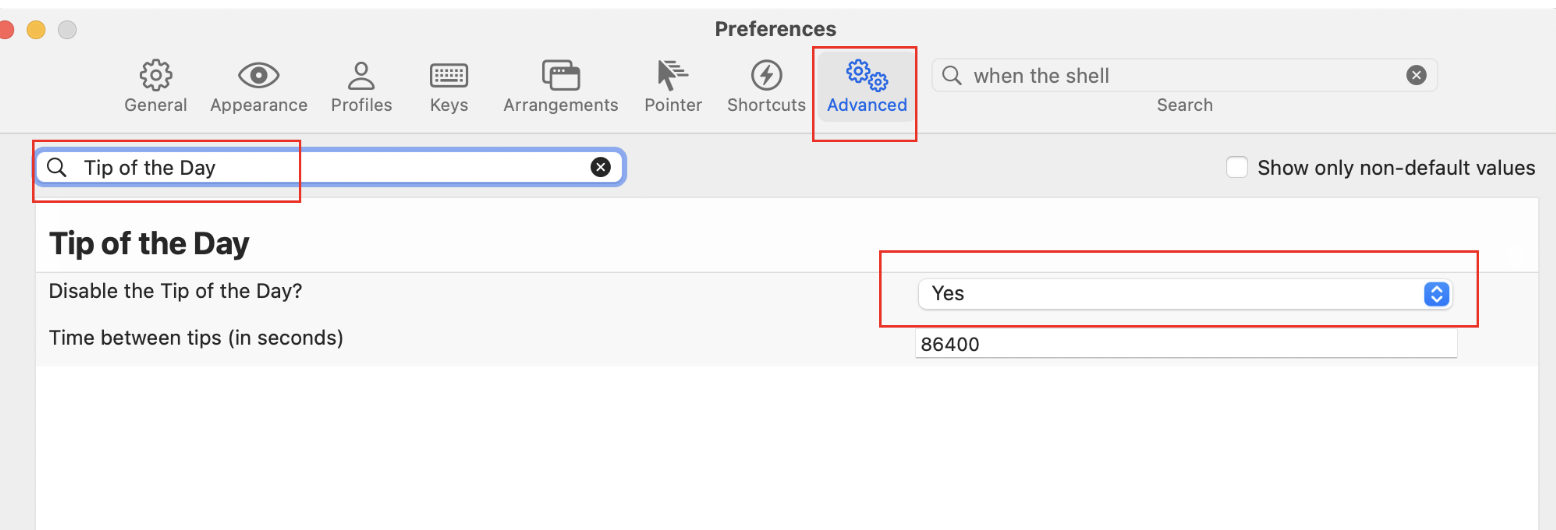
6. 全屏窗口下使用iterm2
不推荐使用
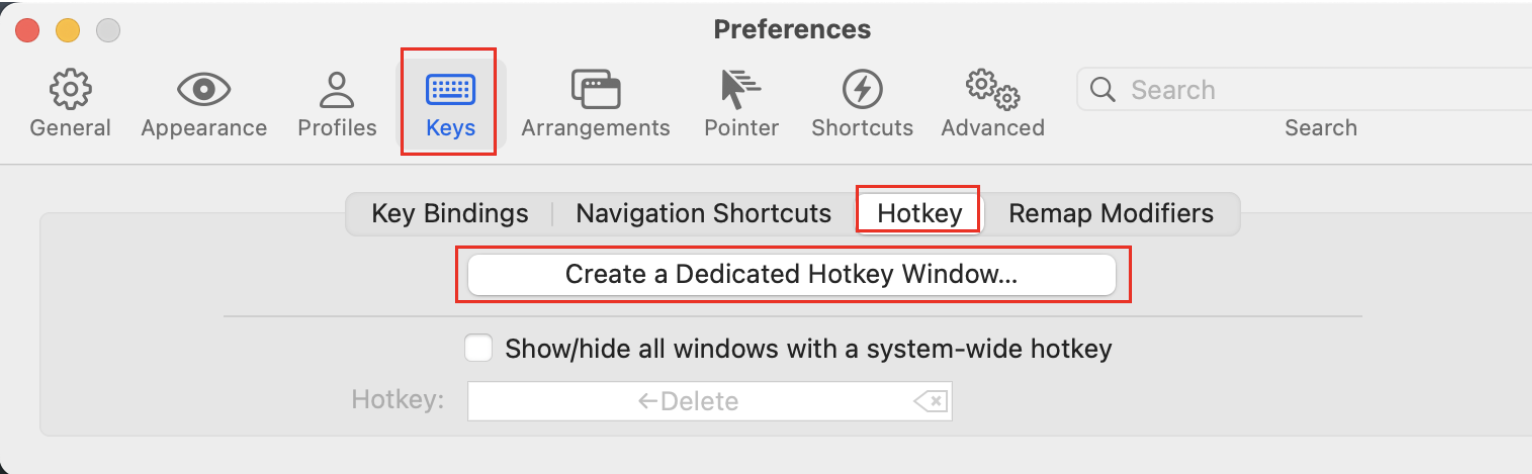
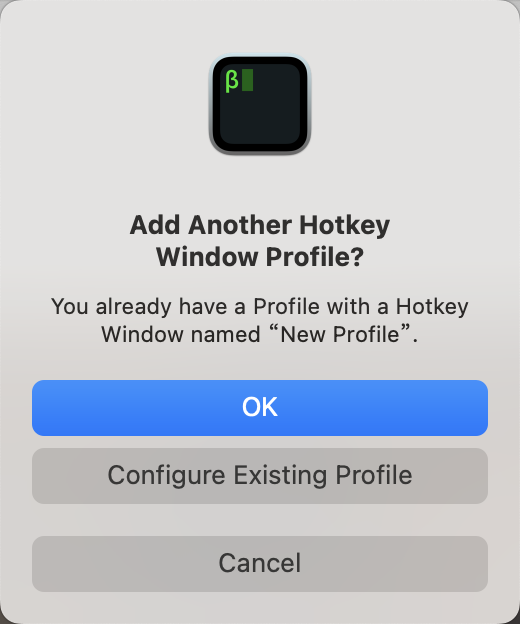
- 增加 Hotkey Window
Hotkey Window
- Keys --> Hotkey --> Create a Dedicated Hotkey Window...
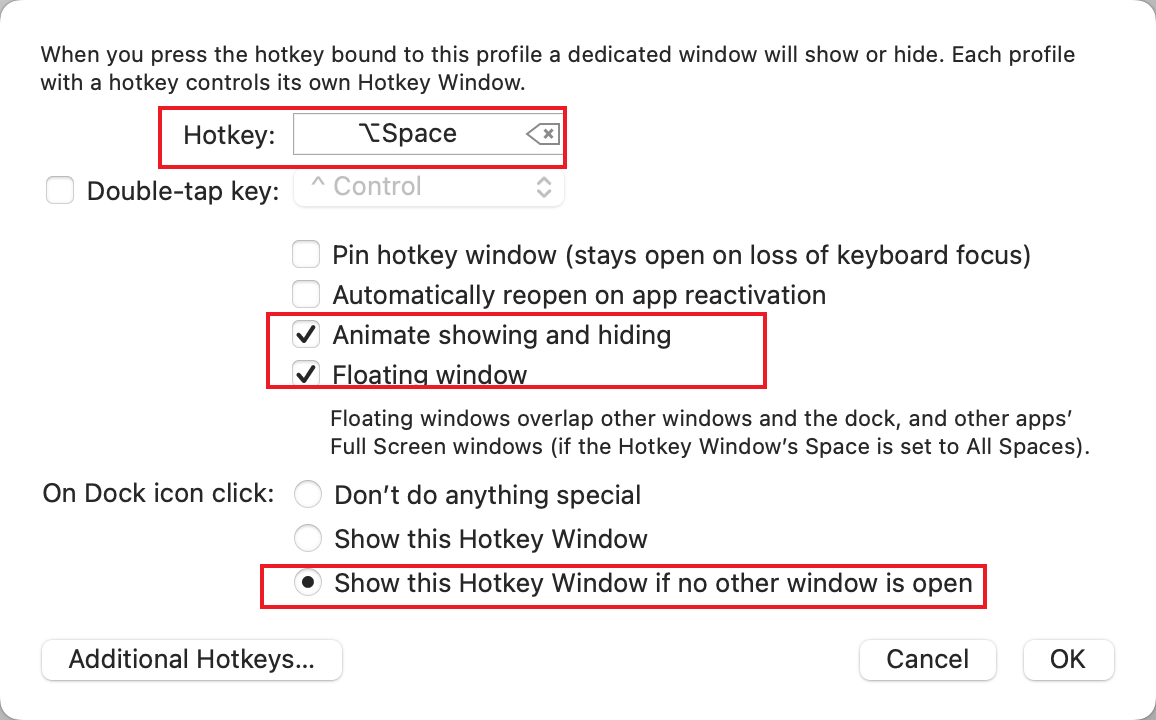
快捷键
shell# 显示/隐藏窗口 ⌥ + 空格
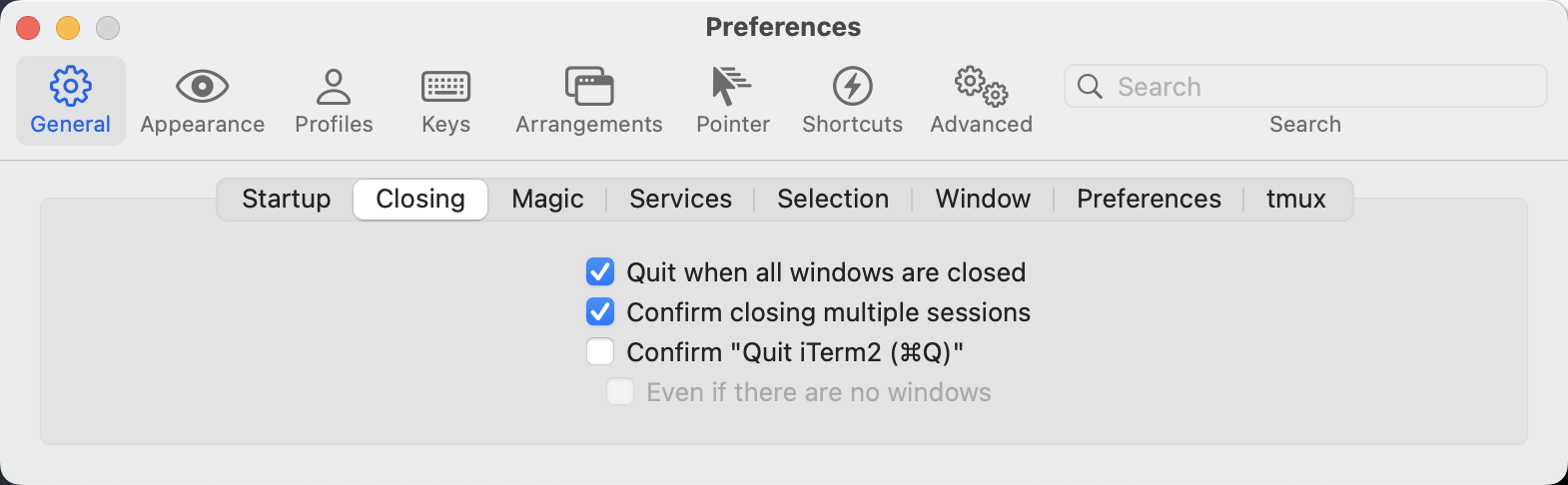
7. 取消iterm关闭时询问是否关闭弹窗
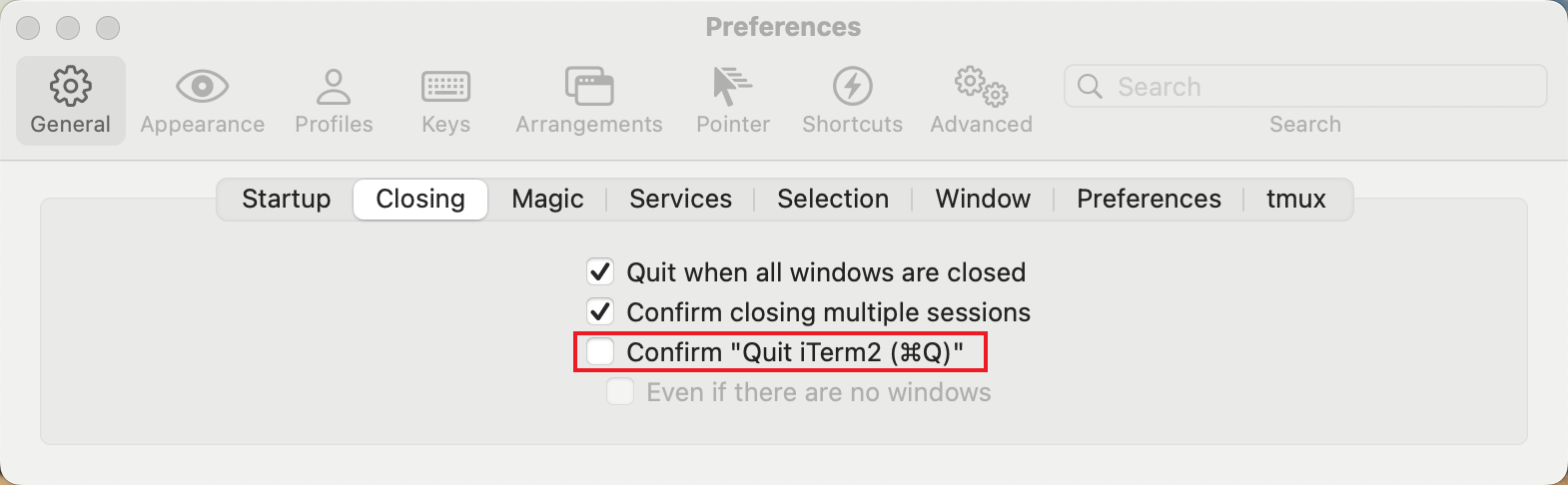
Preferences -> General -> Closing
勾选 Confirm "Quit iTerm2" 选项后,再次取消勾选该选项即可
关闭iTerm2应用程序,再次打开时,关闭时将不再提示是否关闭
8. 关闭启动界面
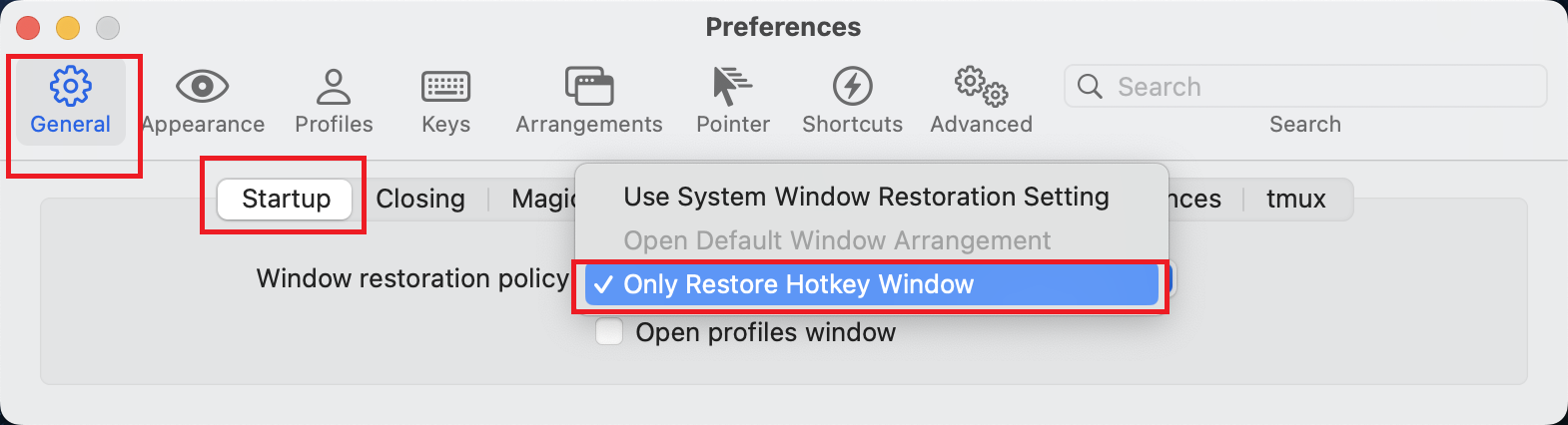
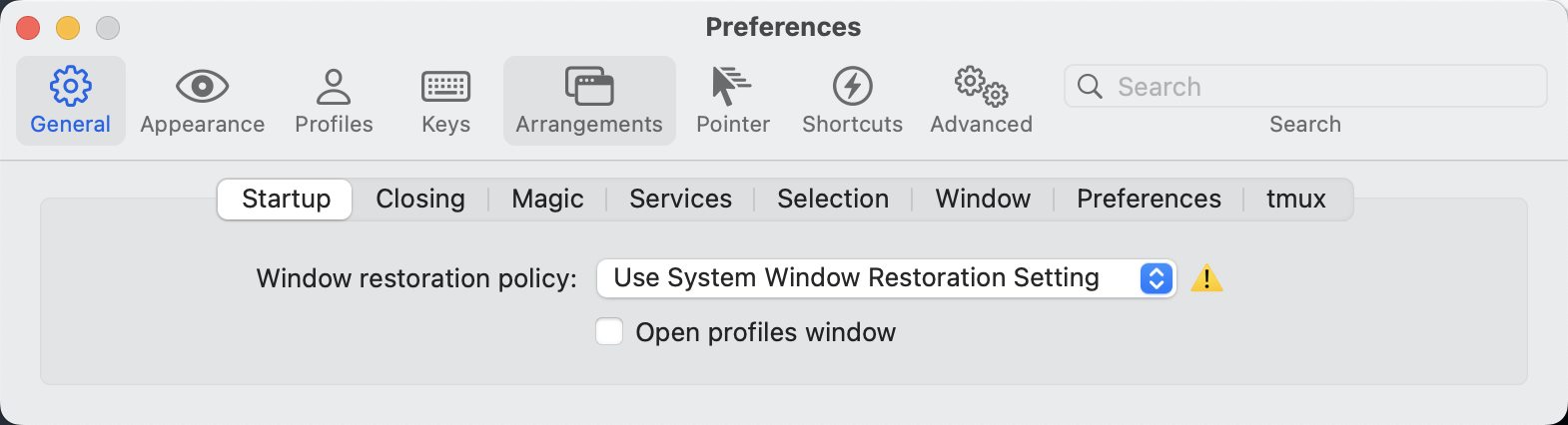
如果你不想每次打开 iTerm2 都打开默认的窗口,也就是静默打开程序
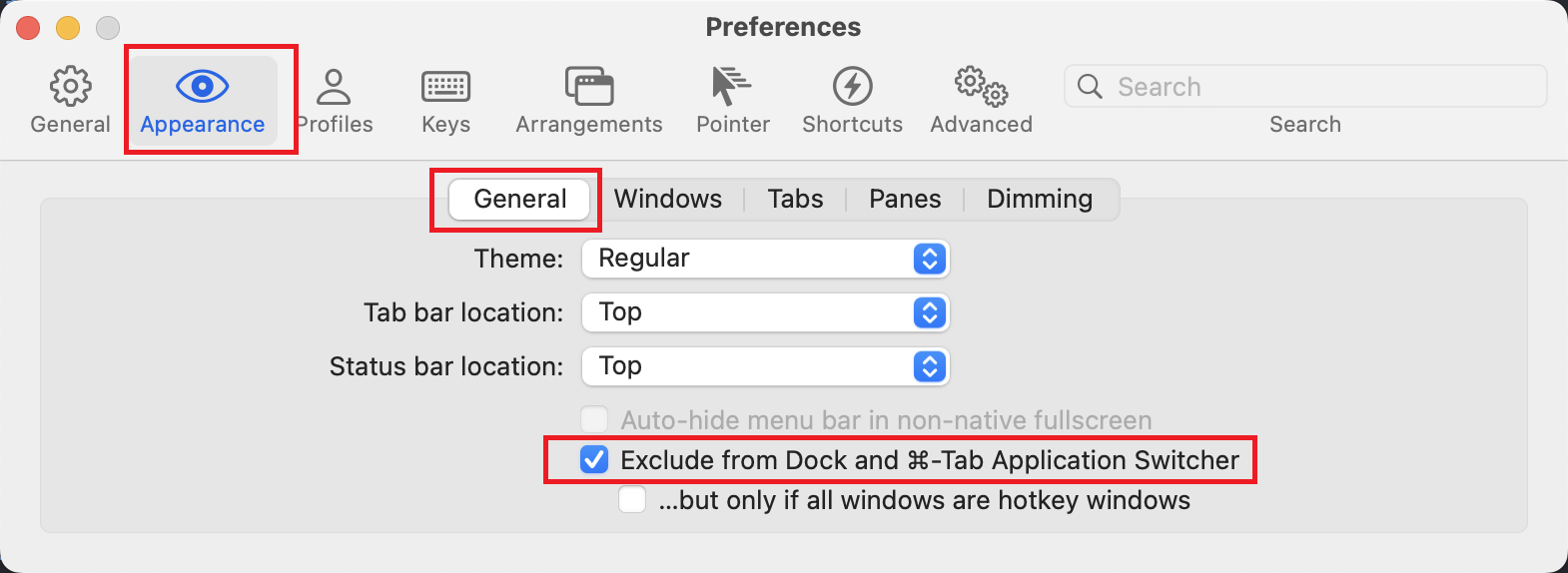
更改设置之后下次你再重新打开 iTerm2 就会变成这个样子:
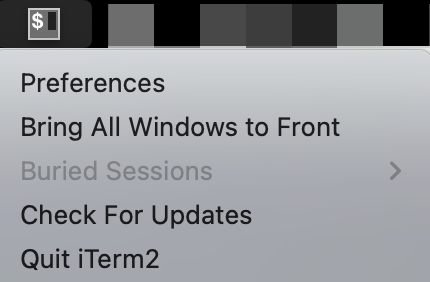
它再也不会出现在 Dock 中,也不会在启动时给你打开一个默认的窗口,你可以优雅地通过快捷键呼入呼出窗口,完美。
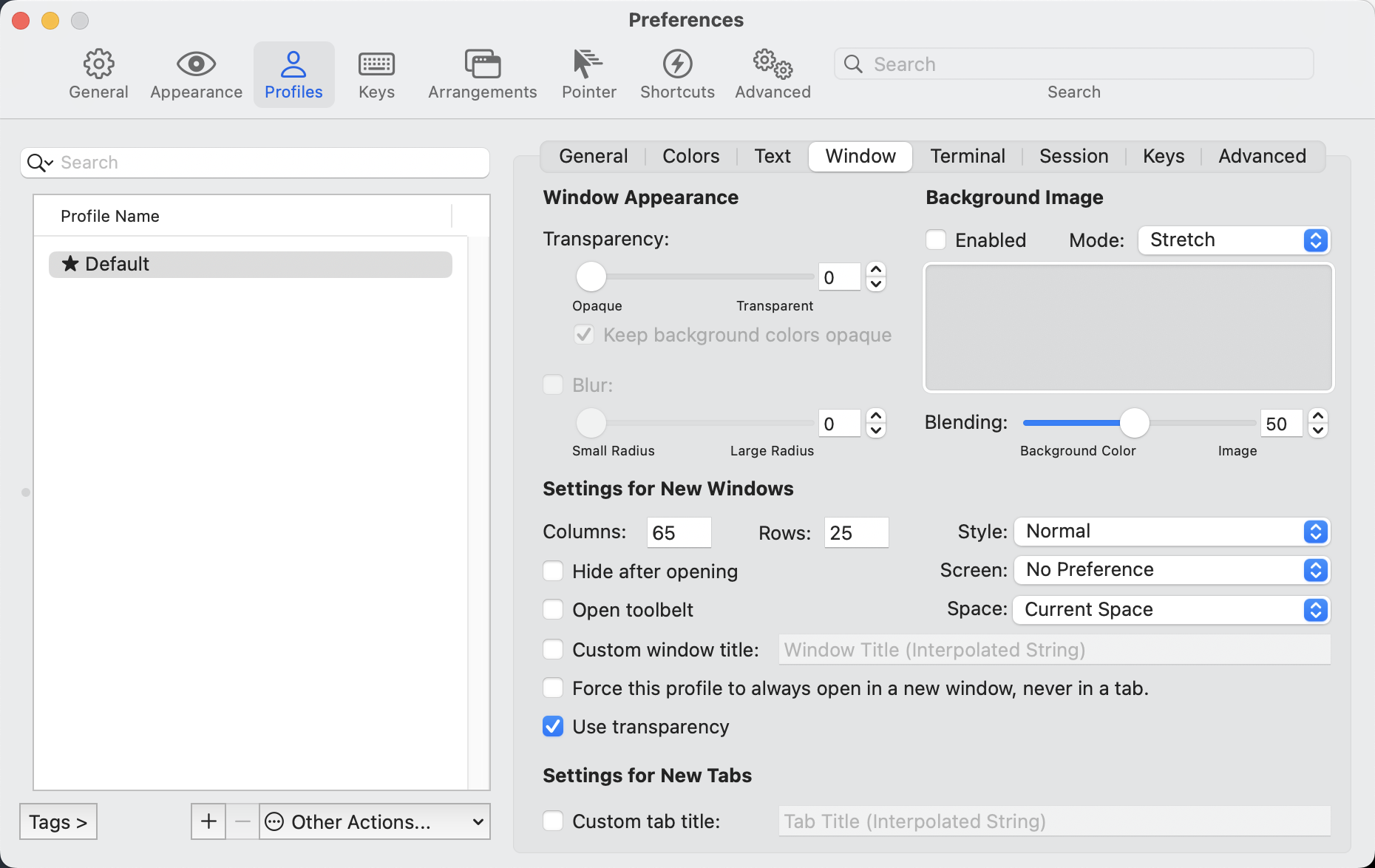
9. 基本配置
- 字体修改
#先使用git命令克隆
git clone https://github.com/powerline/fonts.git --depth=1

# 进入克隆到本地的fonts目录进行安装
cd fonts
./install.sh

# 删除克隆到本地的目录
cd ..
rm -rf fonts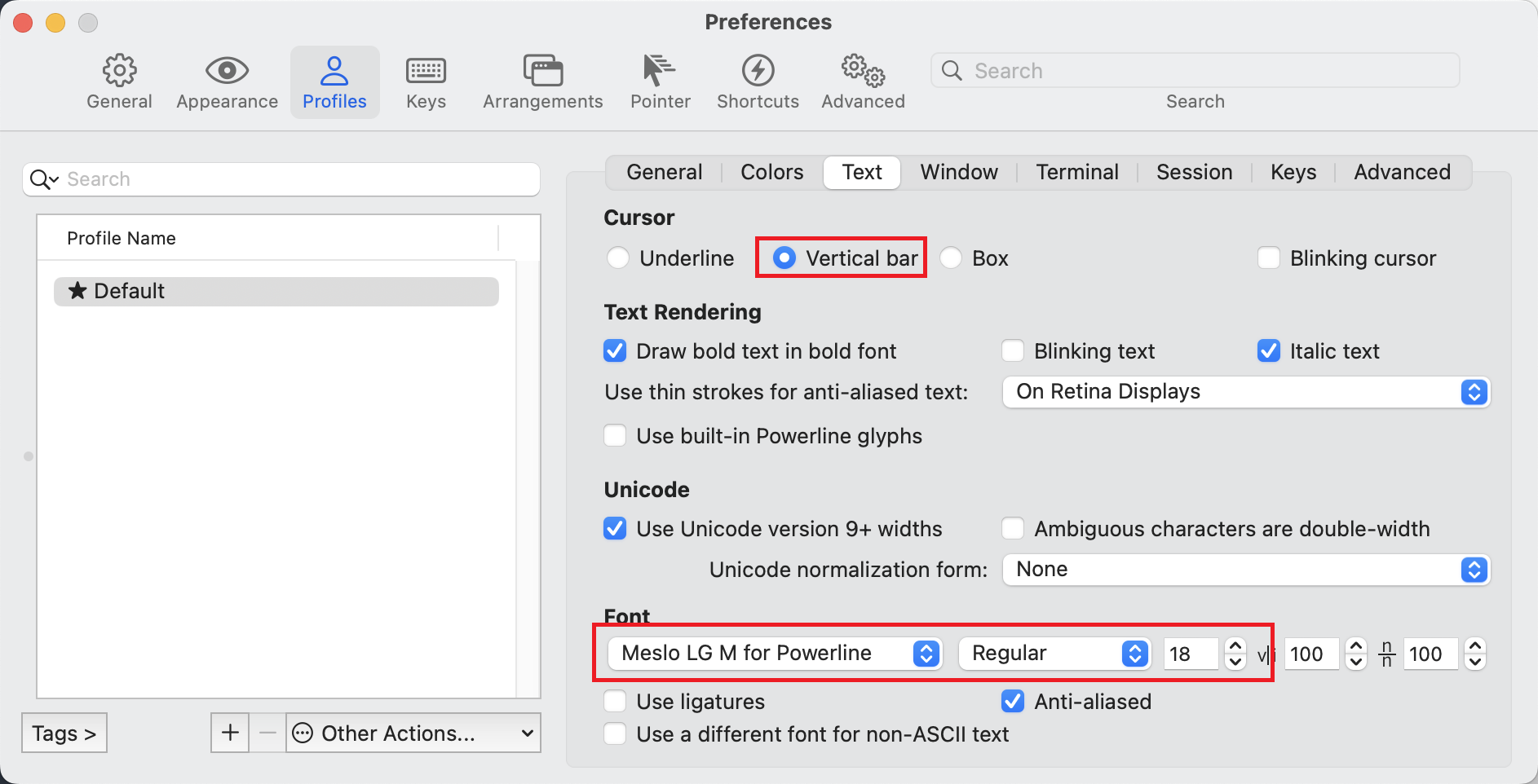
10. 常见问题
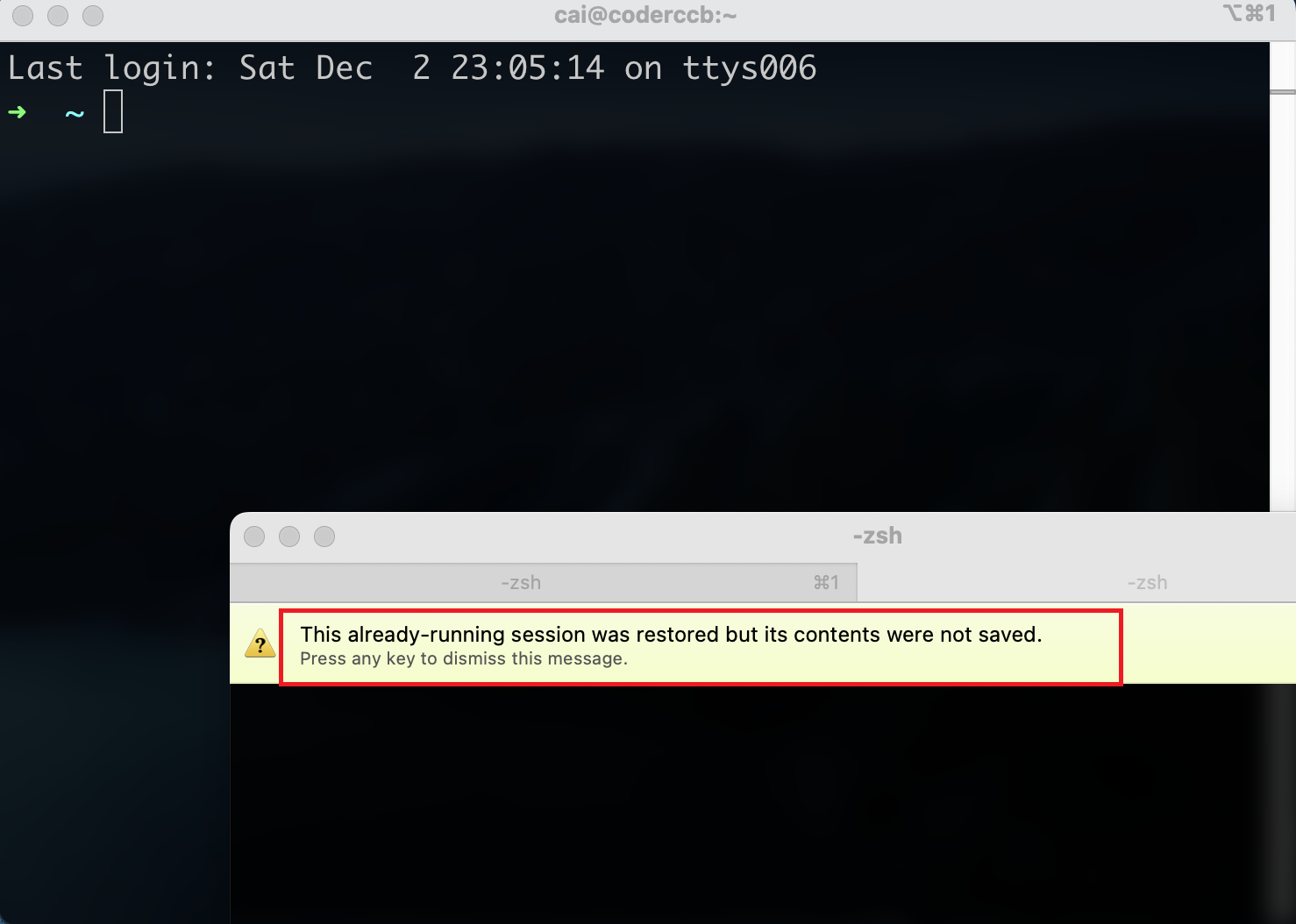
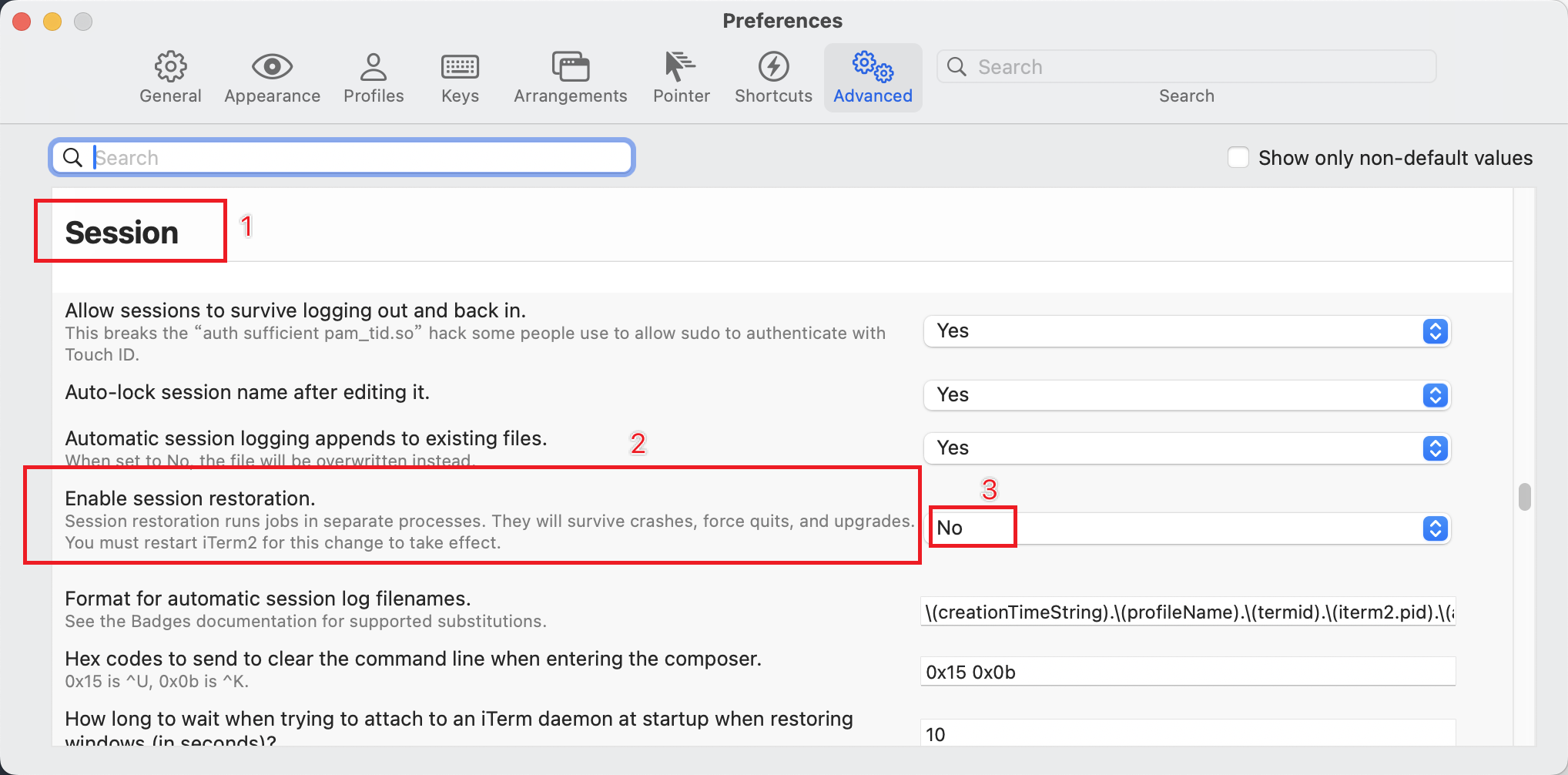
打开 设置 -> Advanced -> Session -> Enable session restoration
A control sequence attempted to clear scrollback history. Allow this in the future?Press any key to dismiss this message.
试图清除回滚历史记录的控制序列。允许这种事发生在未来?按任意键解除此消息。
Always Allow (TA) Always Deny (TD)